Getting Started
The SPSS 19 software is available for download from the CC FTP site.
Download SPSS 19
Download the file to a local drive (e.g., D:\) and run it.
License Configuration
License Server: 172.31.1.147
Campus network connectivity is required.
Installation Walkthrough
Swipe or tap arrows to navigate
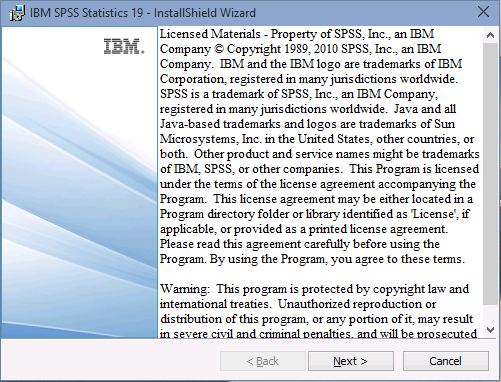
Run the setup file of SPSS 19.0
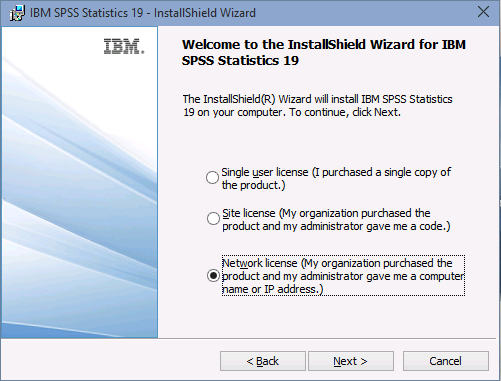
Select "Network License" and click "Next".
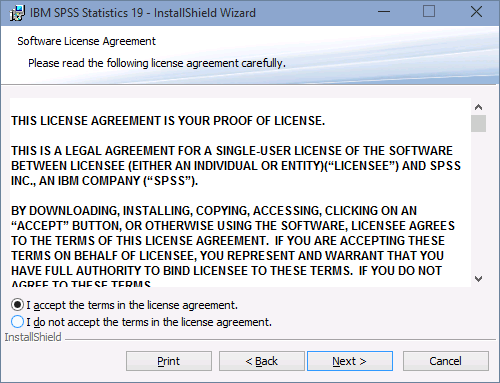
Accept the license agreement and click on "Next".
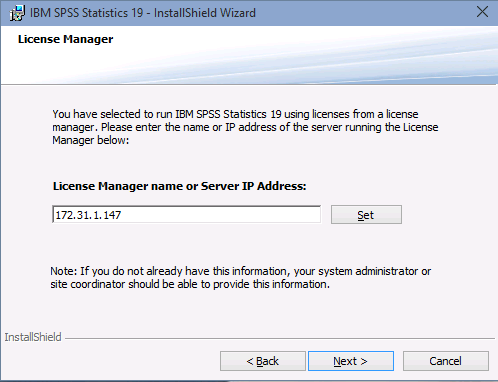
Enter the "License Manager Server IP Address" in the Server IP Address
box & click "Set" then click "Next"
(License Manager
Server for IIT Campus is "172.31.1.147") Campus Network
connectivity
required.
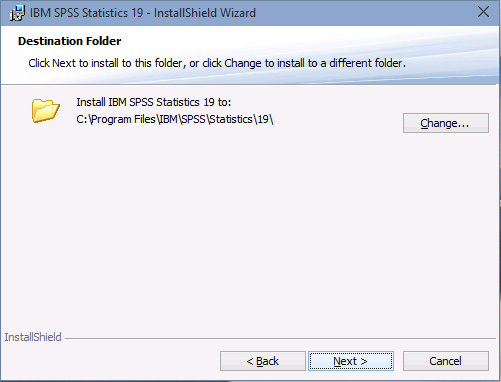
Click "Next" to install to default folder.
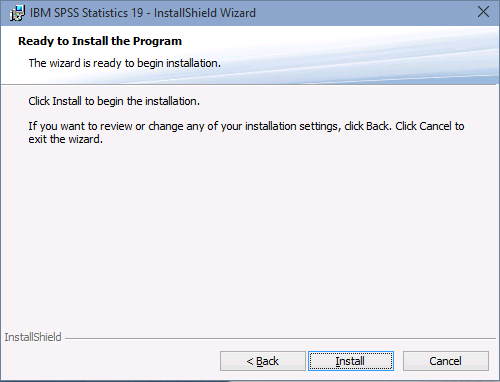
Click "Install" button to proceed the installation.
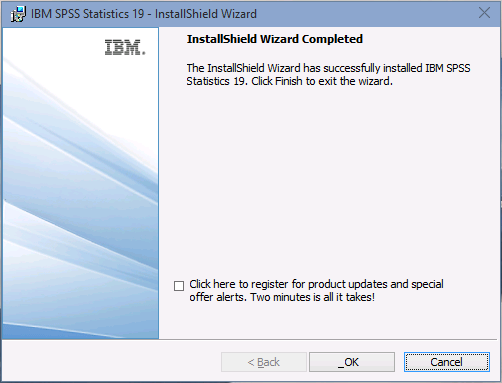
Uncheck the check-box and click "OK" button. This completes the installation.
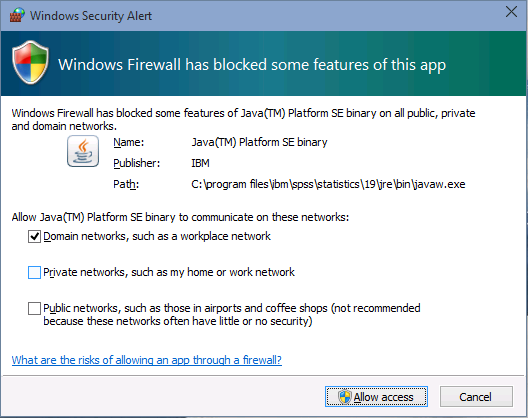
When run for the first time you may get a pop-up from Windows Security Alert as shown below. Click on "Unblock" (Windows XP) or "Allow access" (Windows 7 onwards)
SPSS 19.0 is Installed!
You can now use SPSS 19.0.
SPSS 19.0 is now installed.
Troubleshooting
Error: "This application has failed to start because the application configuration is incorrect."
Solution: Install the software using administrator account or using "Run as Administrator" option by right click on setup (Windows 7 onwards).
If still this problem encounters after running the installation from administrator mode, one possible cause of this problem is that the Microsoft Visual C++ redistributables the application requires did not execute and install properly during installation of the Statistics application. You can run them manually post-installation from here:
For 32-bit machine:
C:\Program Files\IBM\SPSS\Statistics\19\VC8\Vcredist_x86.exe
C:\Program Files\IBM\SPSS\Statistics\19\VC9\Vcredist_x86.exe
For 64-bit machine:
C:\Program Files (x86)\IBM\SPSS\Statistics\19\VC8\Vcredist_x64.exe
C:\Program Files (x86)\IBM\SPSS\Statistics\19\VC9\Vcredist_x64.exe