What is Multi-Factor Authentication?
Multi-factor authentication (MFA) is a security mechanism that requires users to provide two or more forms of authentication before being granted access to a system or application.
By requiring multiple factors of authentication, MFA can significantly increase the security of user accounts and reduce the risk of unauthorized access, even if a user's password is compromised.
Important Note
Microsoft 365 users can add the multi-factor authentication methods as depicted below. However, to enable or enforce MFA on their account, they may email to gopesh[at]iitk[dot]ac[dot]in or narensr[at]iitk[dot]ac[dot]in AFTER completing the steps given below.
Installation Walkthrough
Swipe or tap arrows to navigate
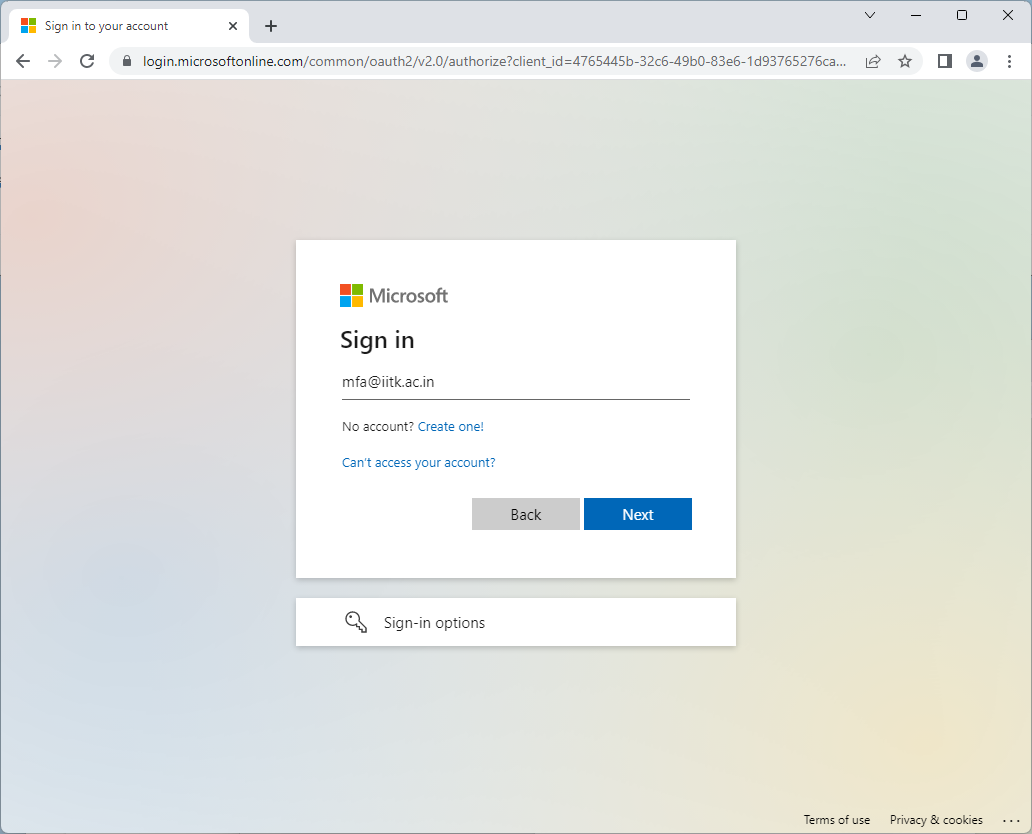
Browse to https://login.microsoftonline.com, enter your account ID, and click "Next".
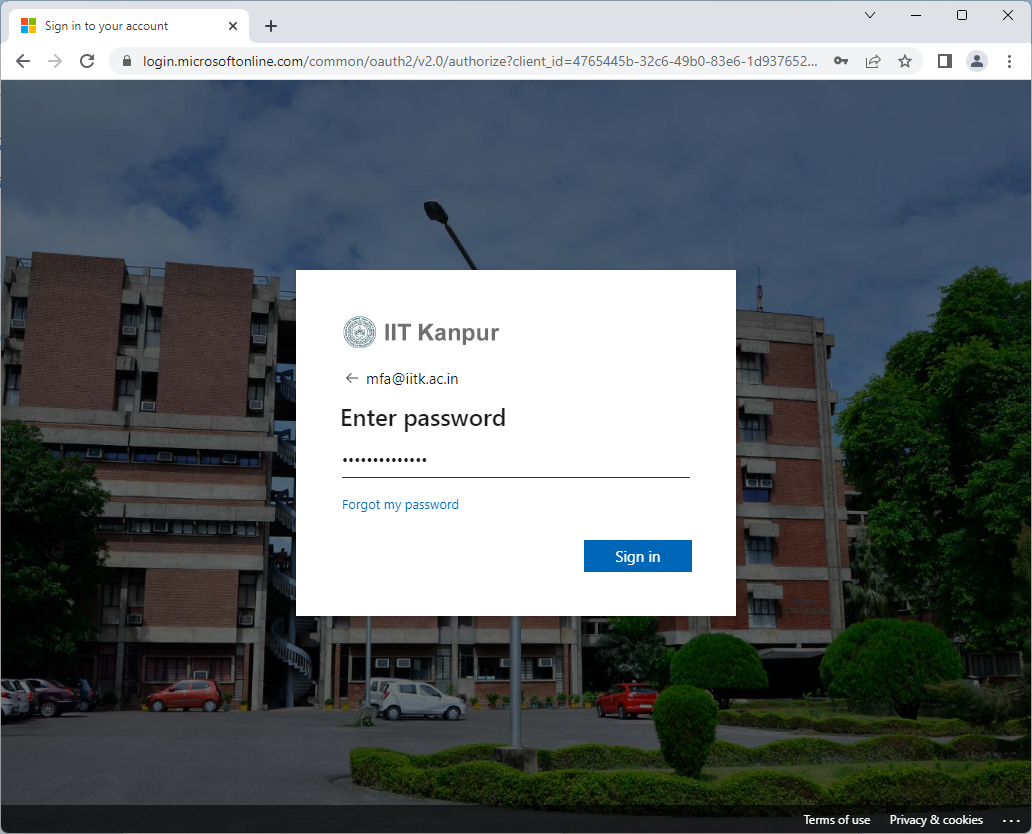
Type in your password and click "Sign in".
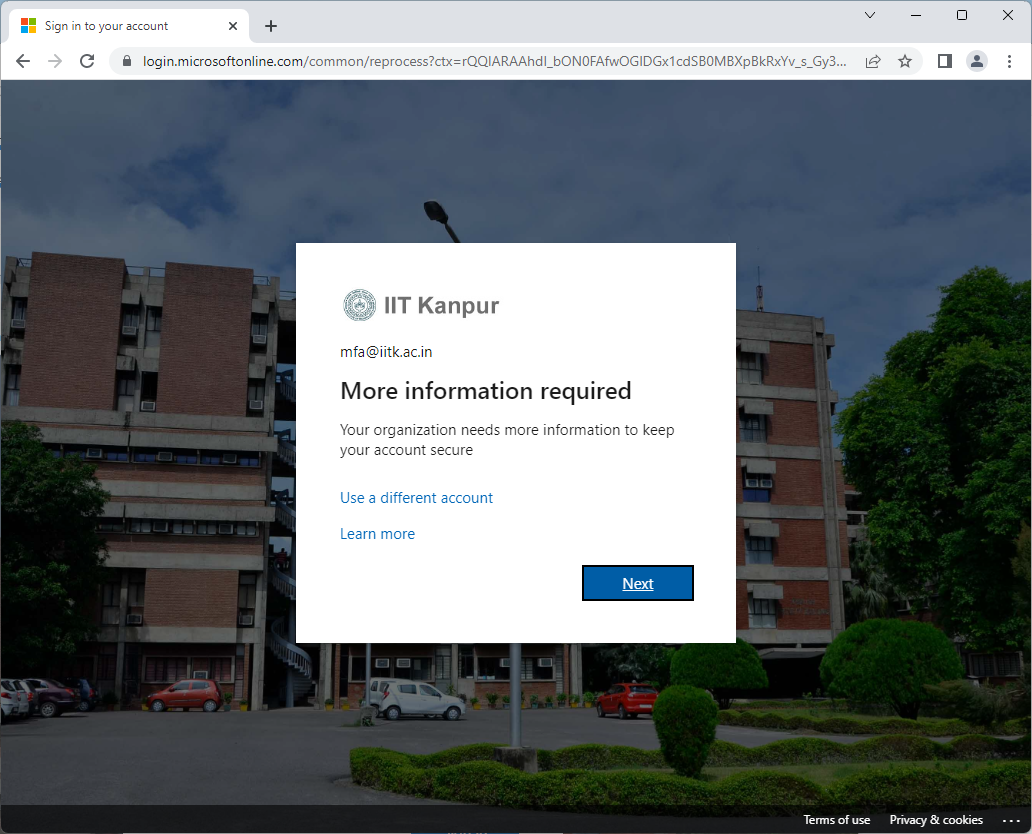
Click "Next" to provide more required security information.
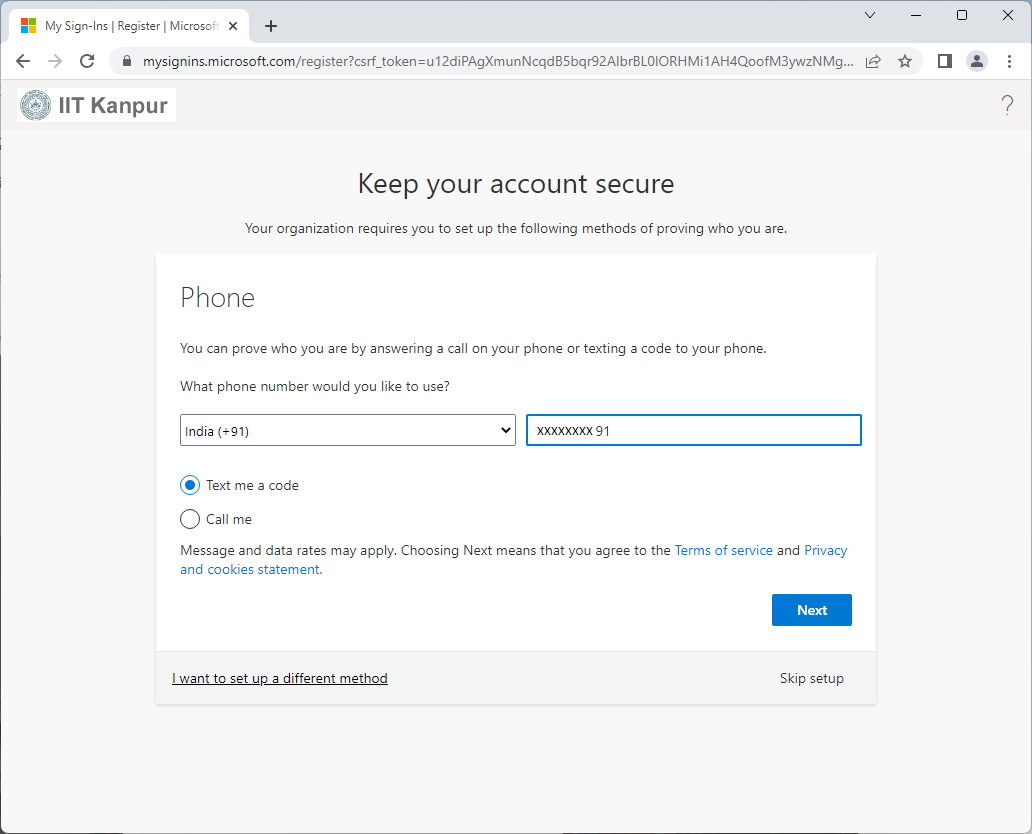
Select country code, enter your mobile number, choose a verification method (Text or Call), and click "Next".
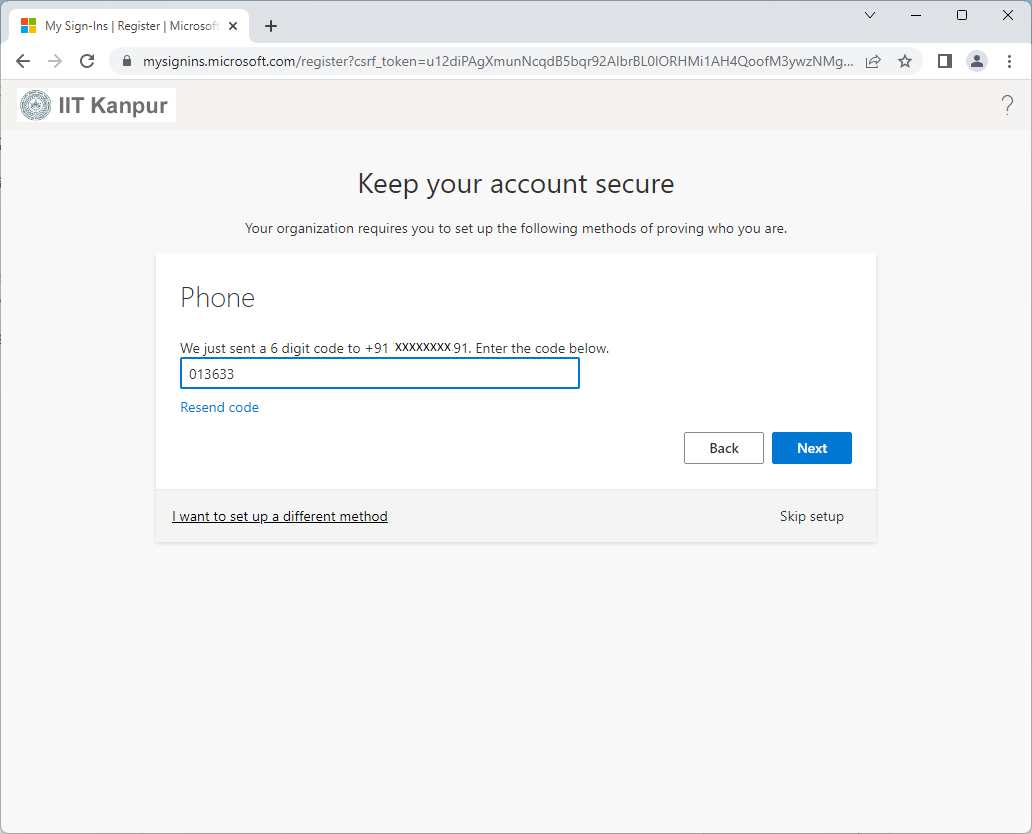
Enter the one-time passcode received on your mobile and click "Next".
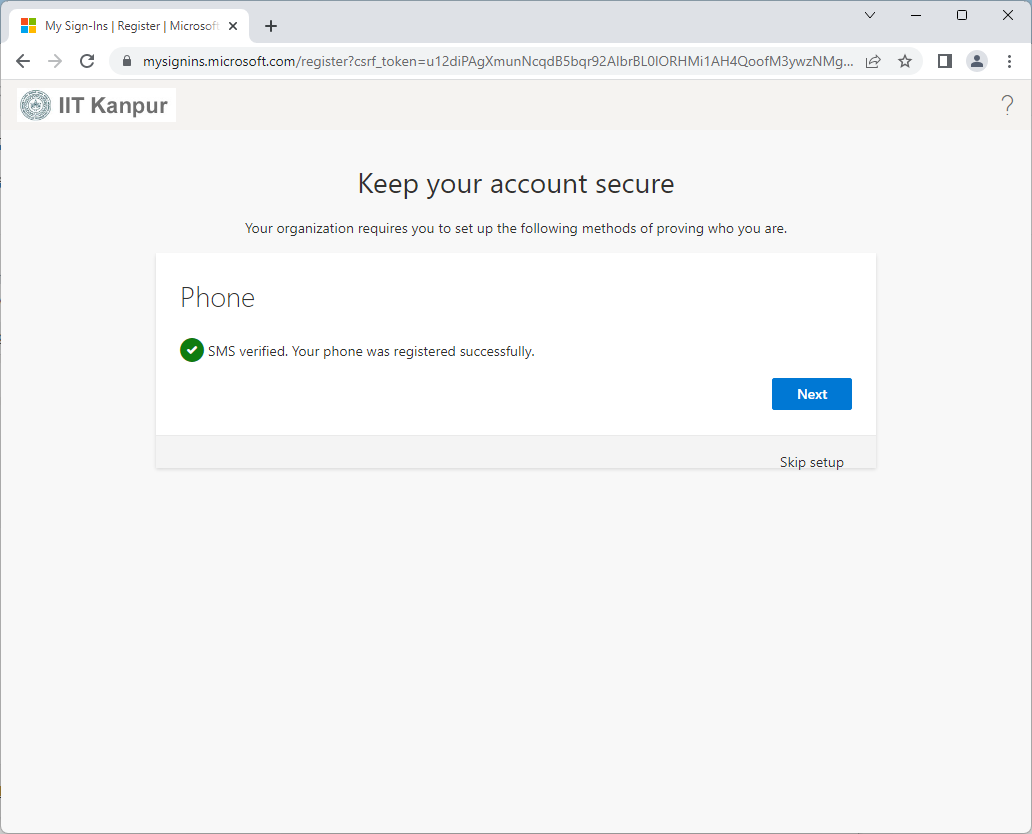
After successful phone verification, click "Next".
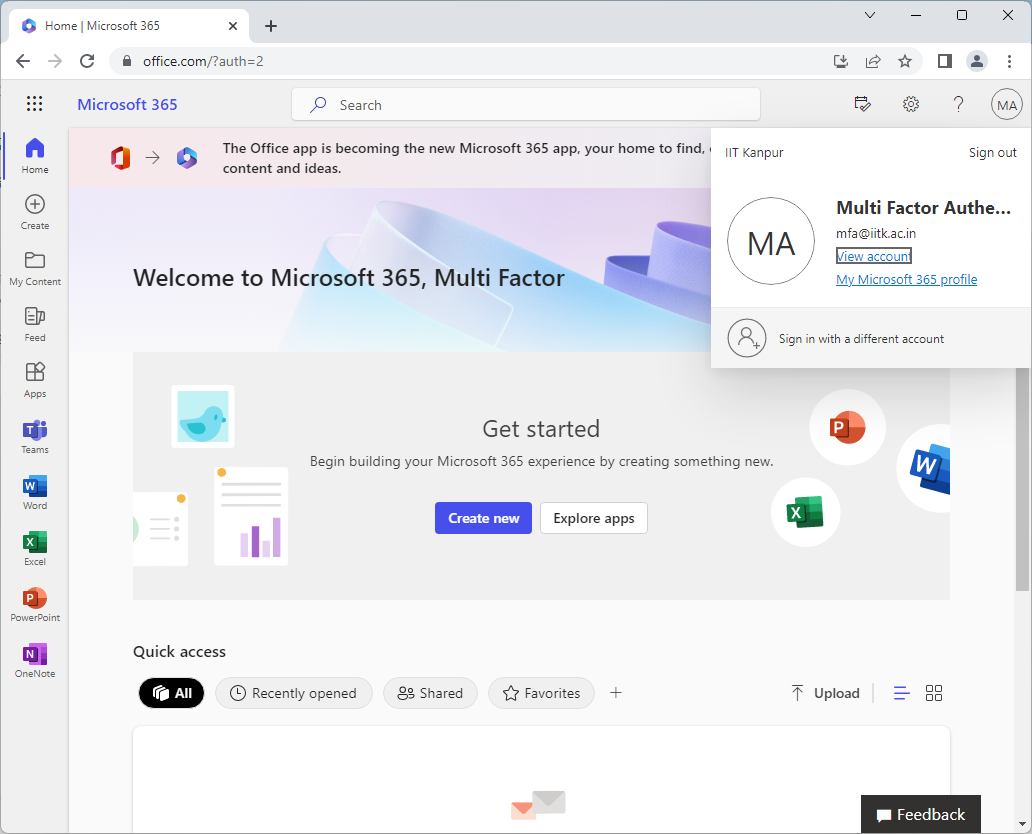
Click your account initials in the top-right corner and select "View account".
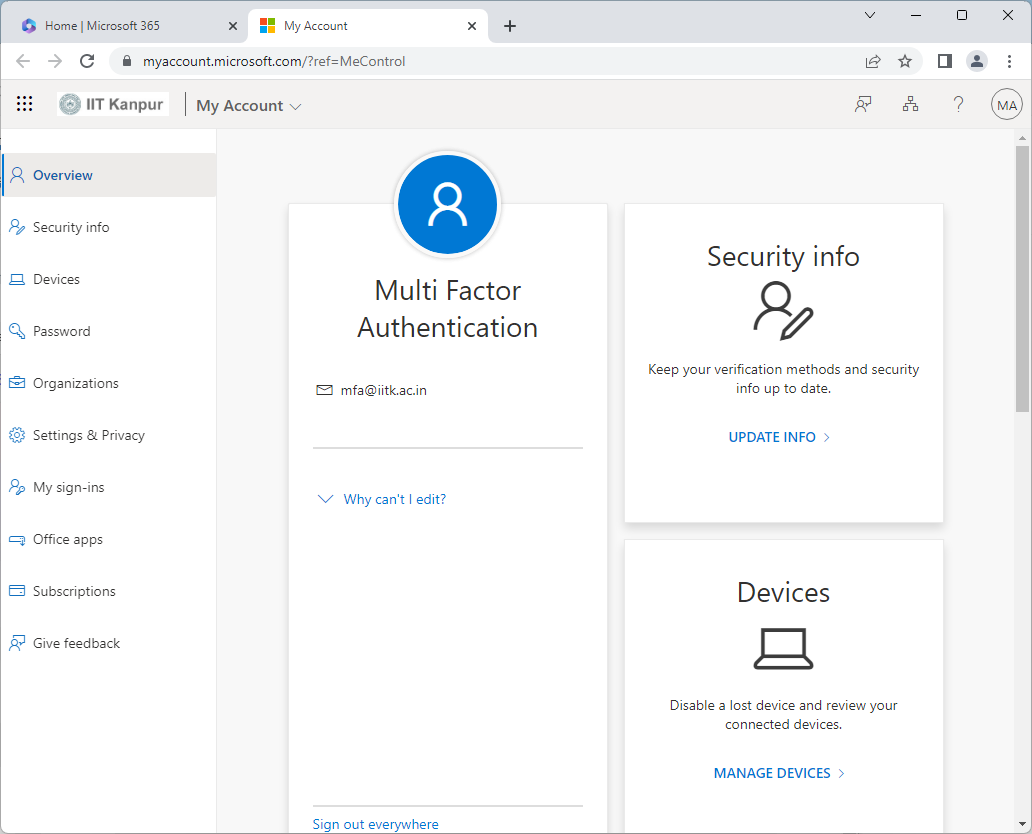
On the account page, select "Security info" from the left menu.
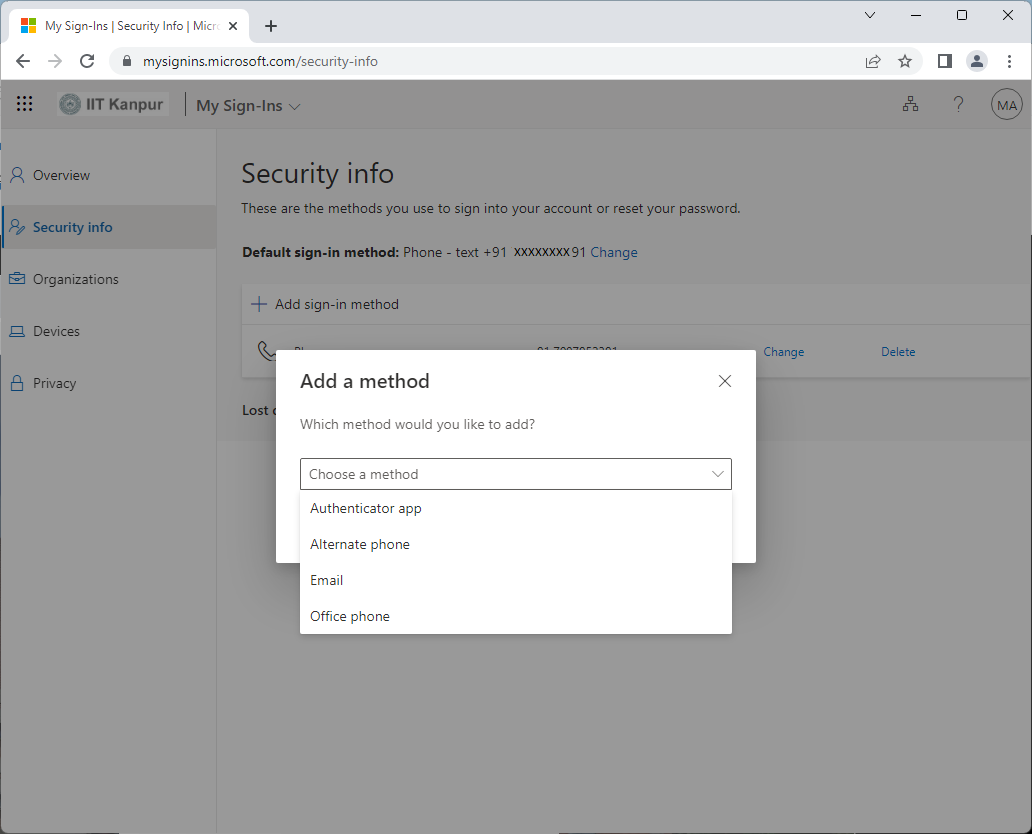
Click "Add sign-in method" and choose "Authenticator app" from the list.
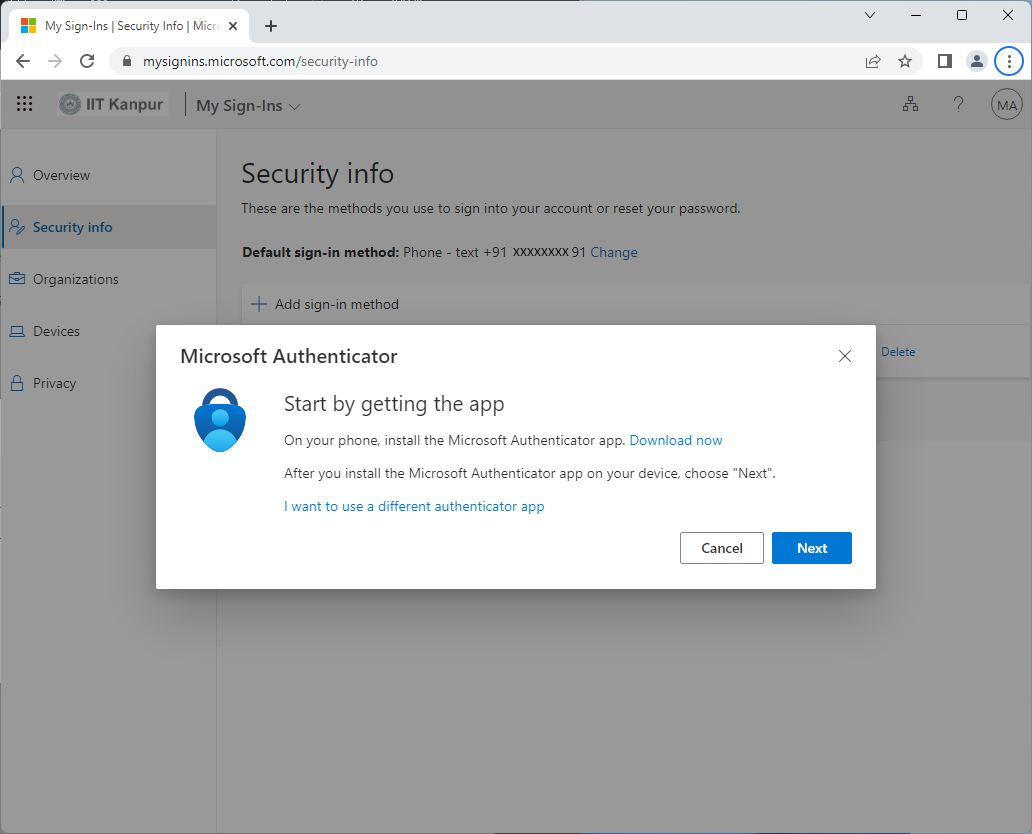
Download the "Microsoft Authenticator app" on your phone, then click "Next".
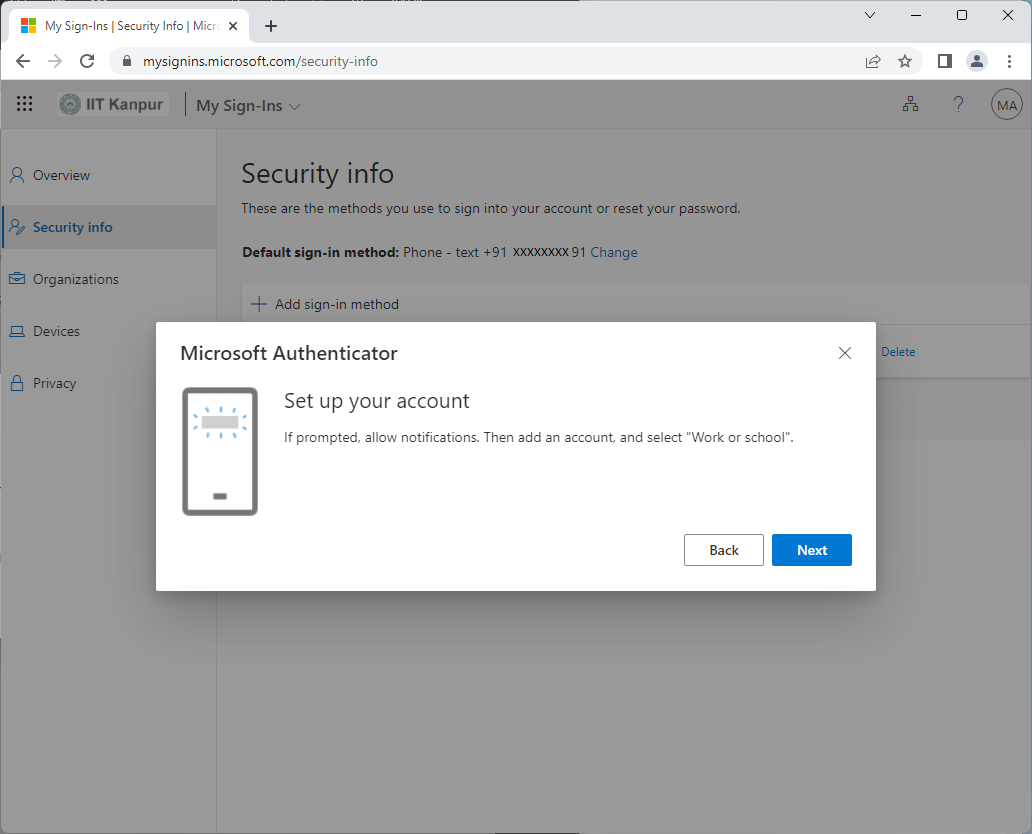
In the Authenticator app, add a "Work or School" account, then click "Next" on the webpage.
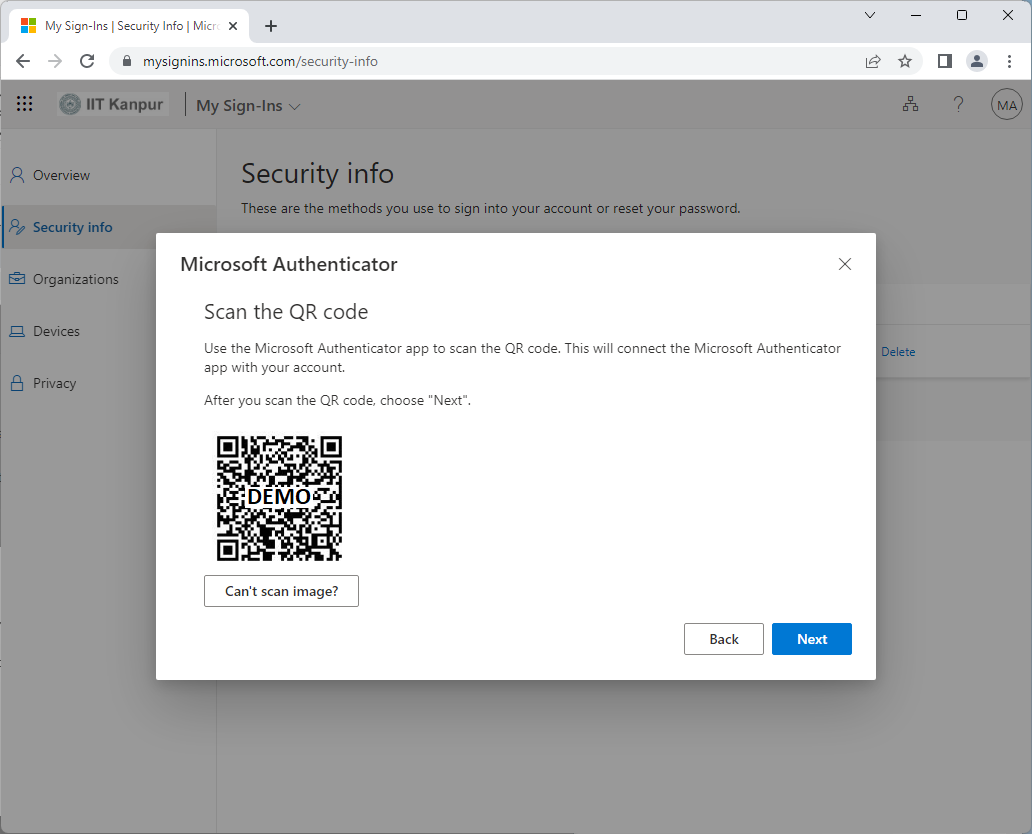
Use the Authenticator app to scan the QR code shown on the screen.
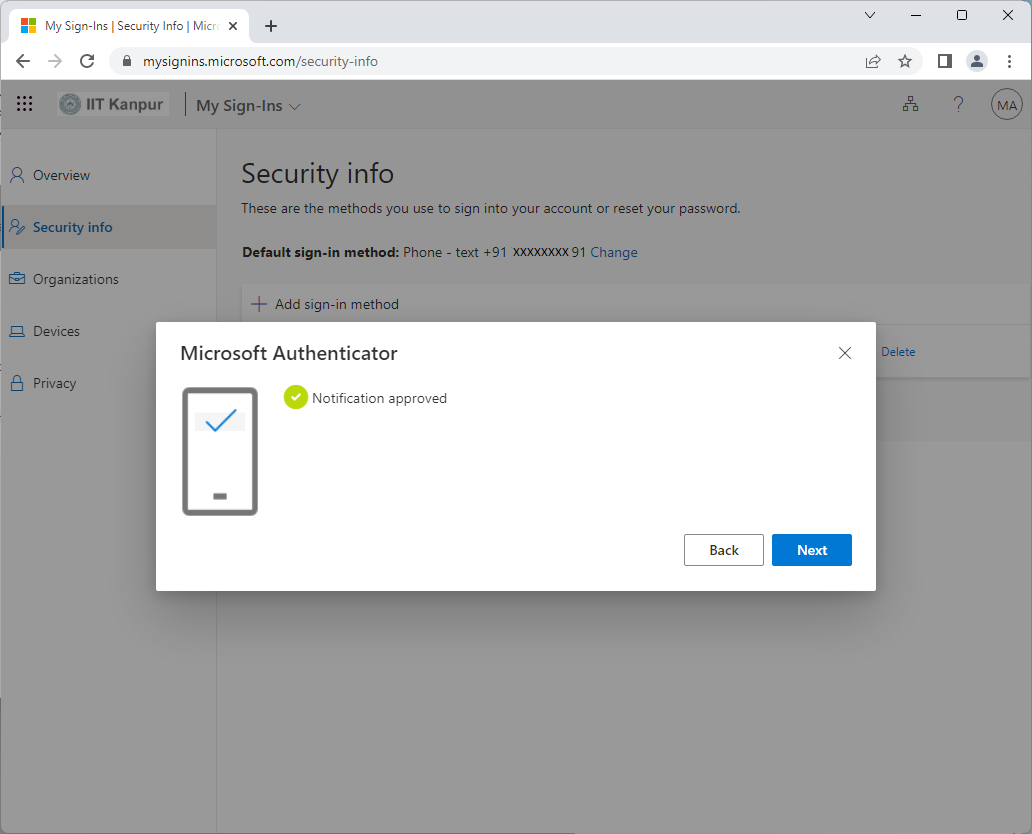
Approve the sign-in notification on your phone and click "Next".
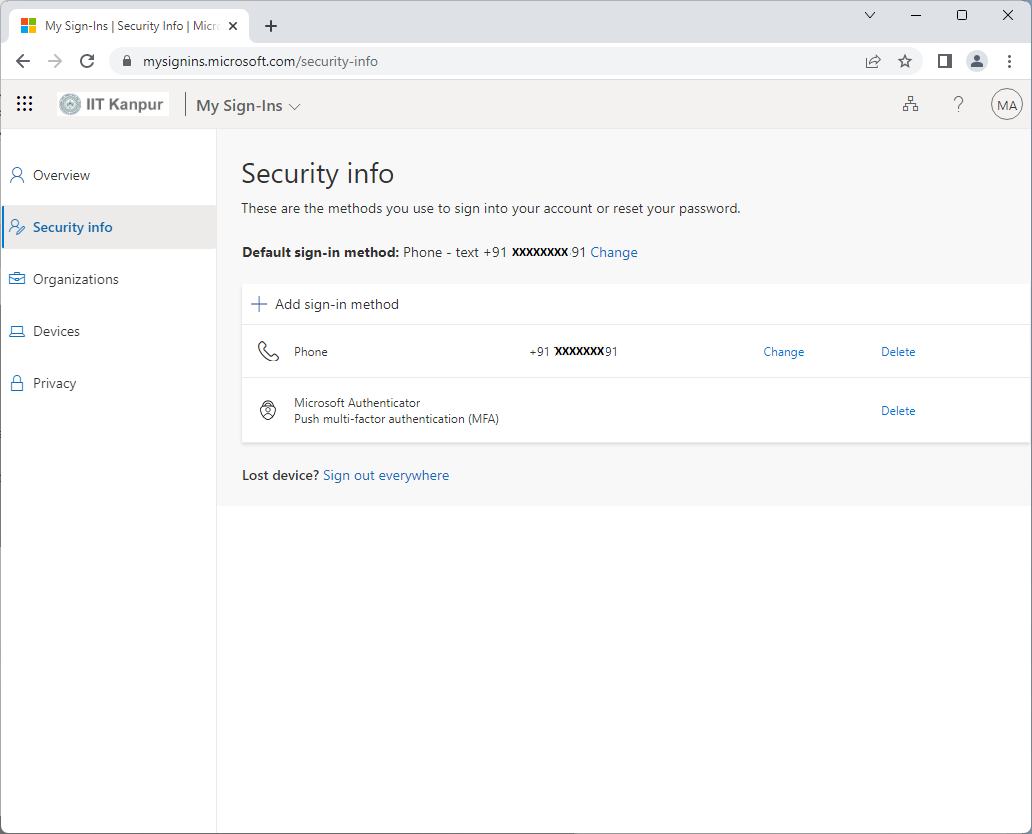
MFA methods are now added. You can change the default sign-in method to "Microsoft Authenticator - notification".
Play the video to learn how to configure Multi-Factor Authentication.
Setup Complete!
Multi-Factor Authentication is now configured.
MFA methods have been added successfully.