Configuration Walkthrough
Swipe or tap arrows to navigate
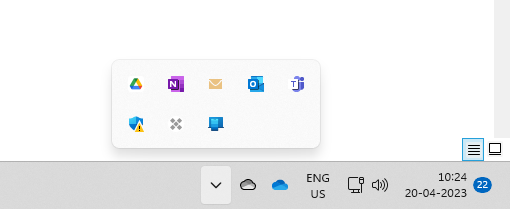
Check the Microsoft Defender icon near the clock on the bottom right corner of the screen. (You may have to click on the up arrow to see it).
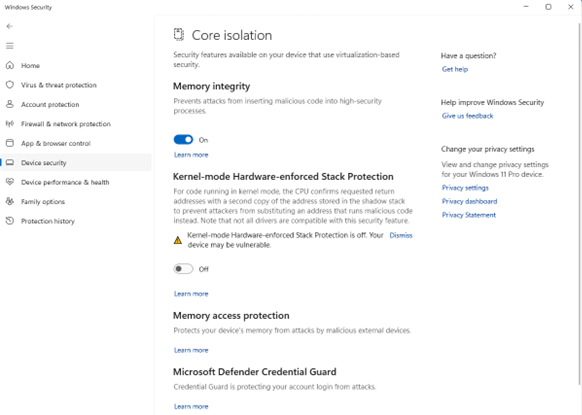
If the icon shows an exclamation mark  , please open it and
attend to the cause creating it. For example, in this case, the exclamation mark
is
being caused because Kernel-mode Hardware-enforced Stack protection is OFF. Put
it ON
, please open it and
attend to the cause creating it. For example, in this case, the exclamation mark
is
being caused because Kernel-mode Hardware-enforced Stack protection is OFF. Put
it ON
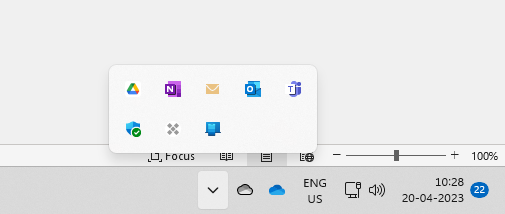
If asked to restart the system, please restart. Verify that the icon is now with a green tick .
Windows Defender Protection Enabled
Update Windows Defender to ensure you have the latest protection.
Protection is enabled. Update Windows Defender to ensure you have the latest protection.