Important Information
The procedure below describes, how to minimise the attacks against Ransomeware, Viruss & Malware, etc. Please follow the following measures to protect your PC/Laptop from Ransomware:
- If PC / Laptop is using any version of Windows below Windows 10 (possibly because of compatibility with any lab equipment) please do not connect it to the network. If you have to connect it to the network, please make sure to disable "File and Printer Sharing" [refer to https://iitk.ac.in/nt/faq/file_printer.htm ] and also put a reliable antivirus.
- On Windows 10 and Windows 11, check that Windows Defender is enabled and healthy:
- check for green ticks against "Virus and Threat Protection", "Account Protection", "File and Network Protection", "App & Browser Control" & "Device Security". In case of any exclamation mark please take corrective measures by following on screen help or taking local help.
- In "Virus and Threat Protection Settings" check that Real Time Protection, Cloud Delivered Protection, Automatic sample submission and Tamper Protection are ON.
- Under Ransomware Protection, we suggest that you put controlled folder access ON.
Configuration Walkthrough
Swipe or tap arrows to navigate
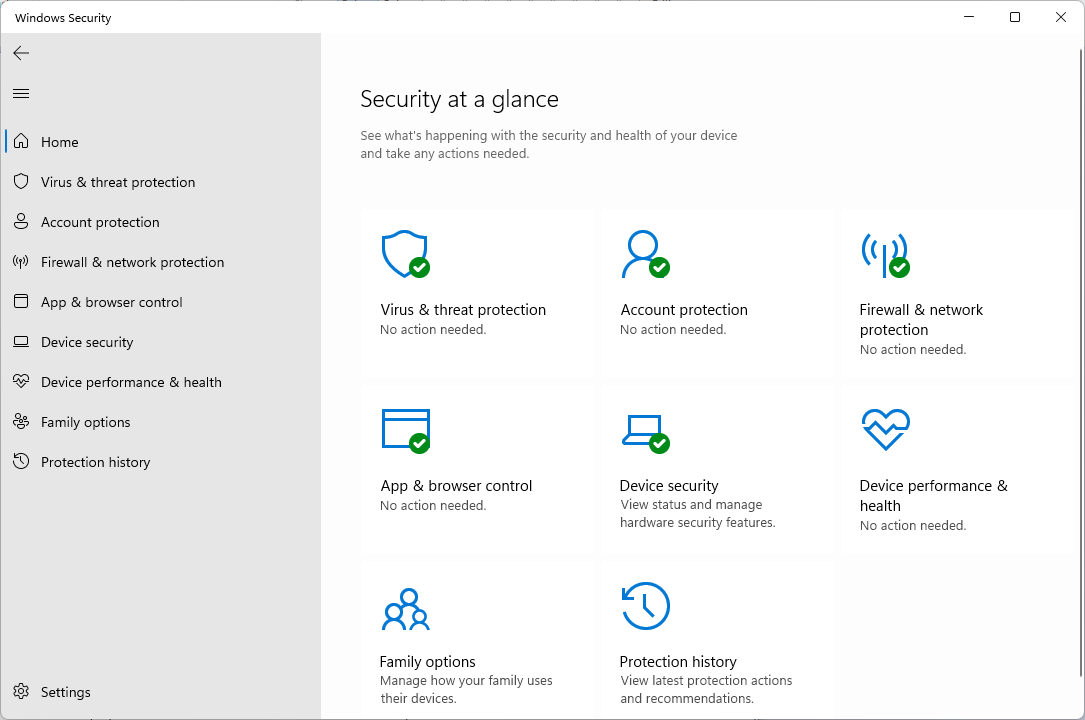
Open Windows Defender and verify the green tickmark.
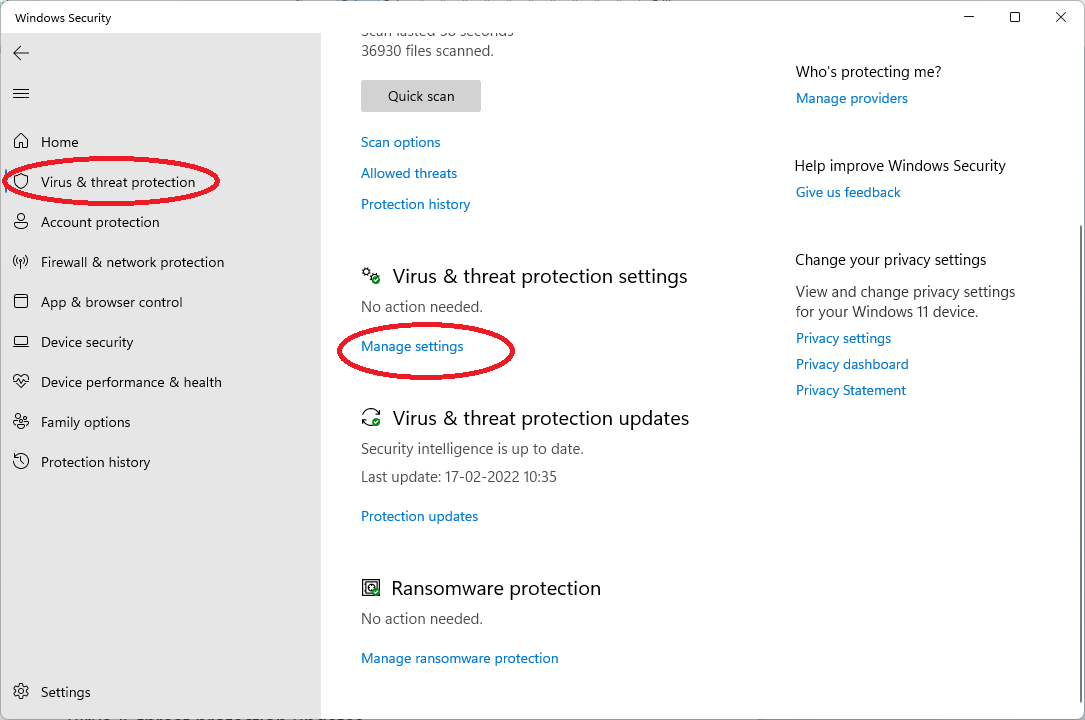
Select "Virus & threat protection" then click on "Manage Settings".
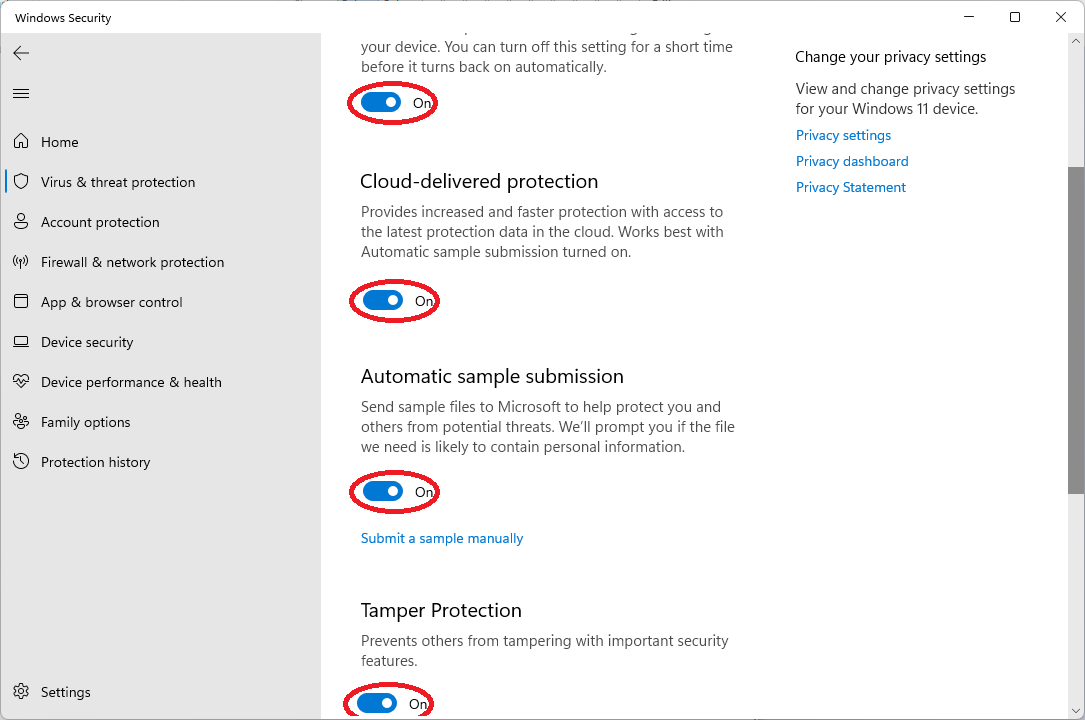
Verify the status of following services that must be enabled (Put
On).
Real-time protection, Cloud-delivered protection, Automatic sample
submission & Temper Protection
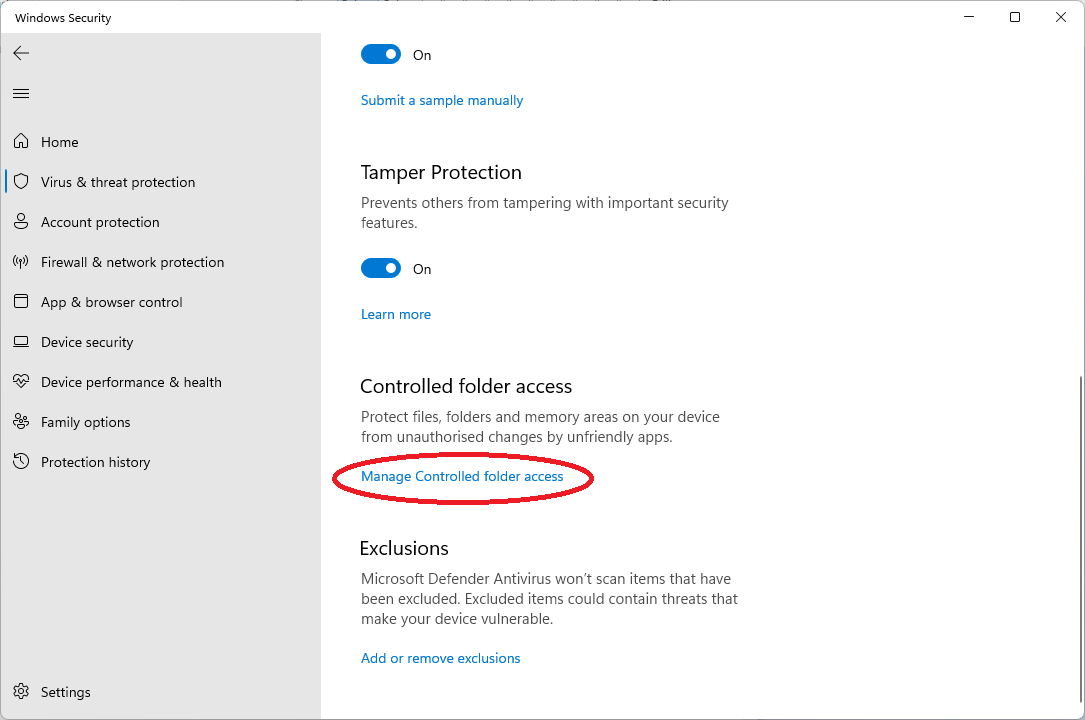
Under "Controlled folder access" click "Manage Controlled folder access"
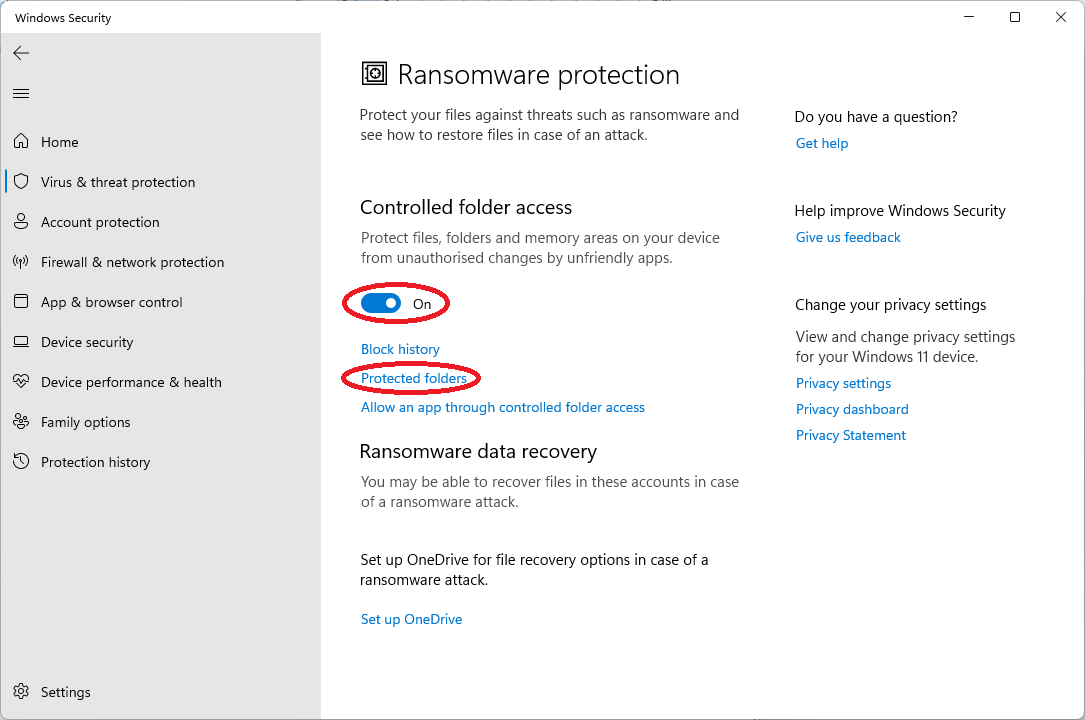
Enable (Put On) the controlled folder access and click on "Protected folders"

Default folders are alredy protected if the "Ransomware protection" is ON state. User can also add "Personal folders" on physical drive", for e.g. "D:\Personal Data".
Windows Defender Protection Enabled
Update Windows Defender to ensure you have the latest protection.
Protection is enabled. Update Windows Defender to ensure you have the latest protection.