About
Indian Institute of Technology Kanpur offers campus-wide access to Foxit PDF Editor for Education, providing licenses to Faculty and Students. This powerful productivity tool allows users to open, view, edit, and manage PDF documents, facilitating a wide range of document-related tasks crucial for academic and administrative work in a digital environment.
With this digital document editing tool, you can:
-
Annotate, highlight, add comments to digital documents just like on paper.
-
Convert scanned textbook files editable and text-searchable with OCR and study like you would with a physical textbook.
Those interested must have M365/Office 365 account and fill out the online form for Foxit PDF Editor registration available here (Use VPN, If outside the IIT Kanpur network). The user will receive an email for account activation from Foxit Software with the subject "Foxit PDF Editor - IIT Kanpur".
System Requirements
- OS: Windows 10, Windows 11 (32-bit / 64-bit)
- Processor: 1.3 GHz or faster processor
- RAM: 512 MB RAM (Recommended: 1 GB RAM or greater)
- Disk Space: 1 GB of available hard drive space
- Resolution: 1024x768 screen resolution
Download Links
Foxit PDF Editor can be used across the three platforms: Windows, macOS, and Foxit PDF Editor Cloud.
-
Windows: Foxit PDF Editor for Windows
-
Mac: Foxit PDF Editor for macOS
-
Foxit PDF Editor Cloud: Accessible through a web browser https://pdfonline.foxit.com
Installation
- Download the the software as required and install it.
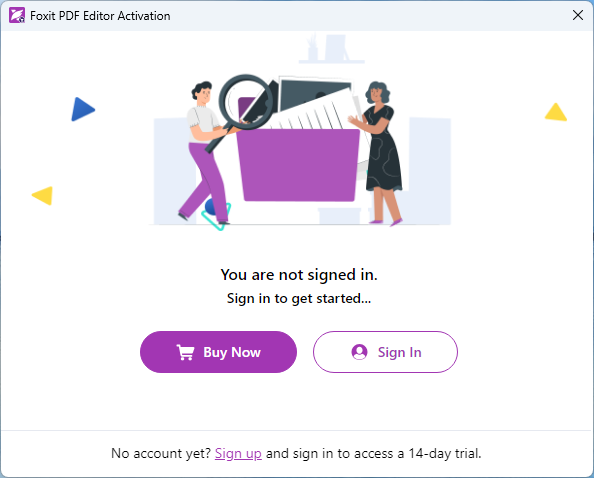
- After successful installation, open Foxit PDF Editor and click sign in.
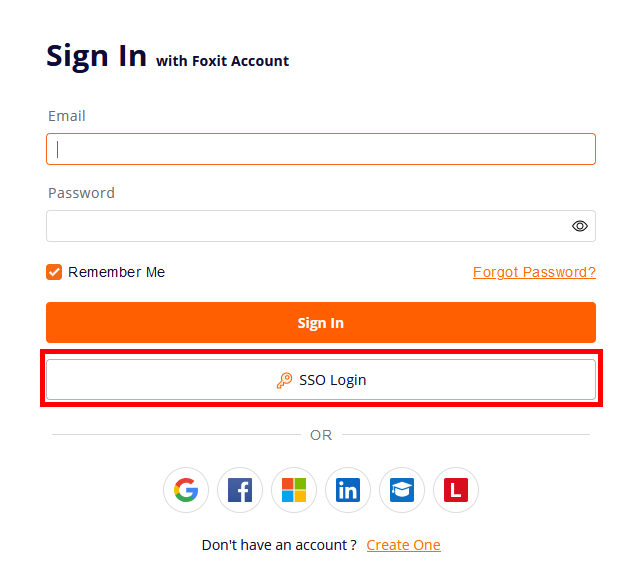
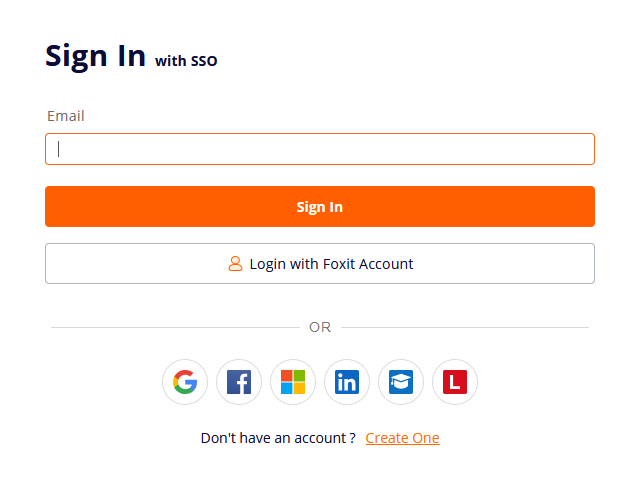
- Click on "SSO" and sign in with IIT Kanpur Office 365 / M365 credentials.
- Restart the Foxit PDF Editor and it is ready for use.
Terms of Use
-
Device Limit: Each account can be used on up to four devices simultaneously
-
Sign-In Requirement: Use your IIT Kanpur email account (ie: [user]@iitk.ac.in)
Help and Support
- Visit the official website: https://www.foxit.com/
- For technical support, contact the Help Desk.